Prerequisite: A Facebook (Meta) account in good standing
Last updated: July 1, 2026
Before Broadcaster can send a single WhatsApp message, WhatsApp itself needs to trust the account behind it. WhatsApp is owned by Meta (Facebook), and the WhatsApp Business API that Broadcaster uses sits on top of your Meta business account. So the very first job, before you even sign up for Broadcaster, is to get your Facebook (Meta) account into what Meta calls “good standing”.
Some of this is out of your hands, because Meta has to review and verify you, and that takes time. Start early. Set aside a few days before you plan to go start onboarding.
Use your real business account. Do not create a throwaway one.
There are only two situations you can be in, and both start with your real identity:
– You already use Facebook for your business. Use that existing account. It already has history and trust built up with Meta.
– You have never had a Facebook presence. That is fine too. You will create one now, properly, in your real name and your real business.
What you must NOT do is create a second, duplicate, or throwaway Facebook account just for WhatsApp. Meta is very good at spotting these and will ban them quickly. Once that happens you will not be able to use the account for WhatsApp, and untangling a banned account is slow and painful. One real person, one real business, one account.
What “good standing” actually means
Your Meta account is in good standing when all of the following are true:
1. A business account (business portfolio) is set up in Meta Business Suite.
2. A payment method is linked to it.
3. Your business is verified by Meta. This means Meta has checked your company details, such as your company ID and registered address.
4. An Instagram account is linked to your business profile. This one is mandatory for WhatsApp API onboarding.
5. Your Facebook business Page is linked to your profile, if you have one.
The steps below walk you through each of these.
One thing to know for later, not now: if you have a Facebook Page or an Instagram profile and you later want to claim that name as your WhatsApp display name, you will need to be an admin of those pages and add the WhatsApp number you connected to Broadcaster. That is a job for after setup, not before.
Step 1: Make sure you have a personal Facebook account
Everything in Meta Business Suite hangs off a personal Facebook login. If you already have one, you are ready. If not, create one at https://facebookhttps://business.facebook.com.com in your own name first.
Step 2: Open Meta Business Suite
While logged in, go to https://business.facebook.com.
– If you already have a business account, you will see a menu with your business and its settings.
– If you do not, you will be shown a form. Fill it in with your business name and details.
Step 3: Prove you are human (this can take hours, so start early)
The first time you set this up, Meta may ask you to record a short real video of yourself to confirm you are a real person. This check can take several hours to come back. Instructions appear on screen, and you cannot carry on with the other steps while you wait for the result. This is one of the main reasons to begin the whole process well before you need to go live.
Step 4: Fill in and verify your business details
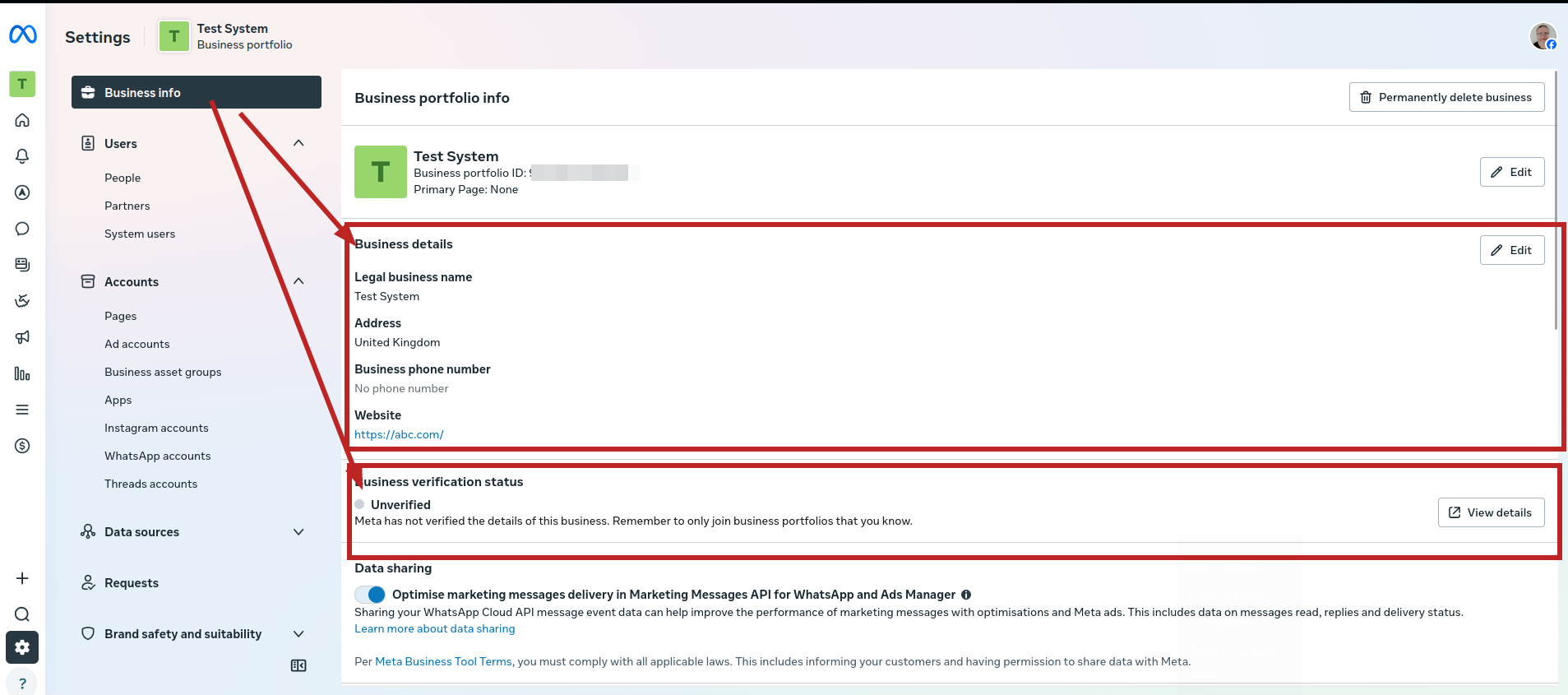
Open Settings using the cog next to your business name, then go to Business Info.
Add your proper legal business name and address, then use the verify option and complete the information Meta asks for. Getting verified can take a day or so, so do not leave this to the last minute.
Step 5: Add your Facebook business Page
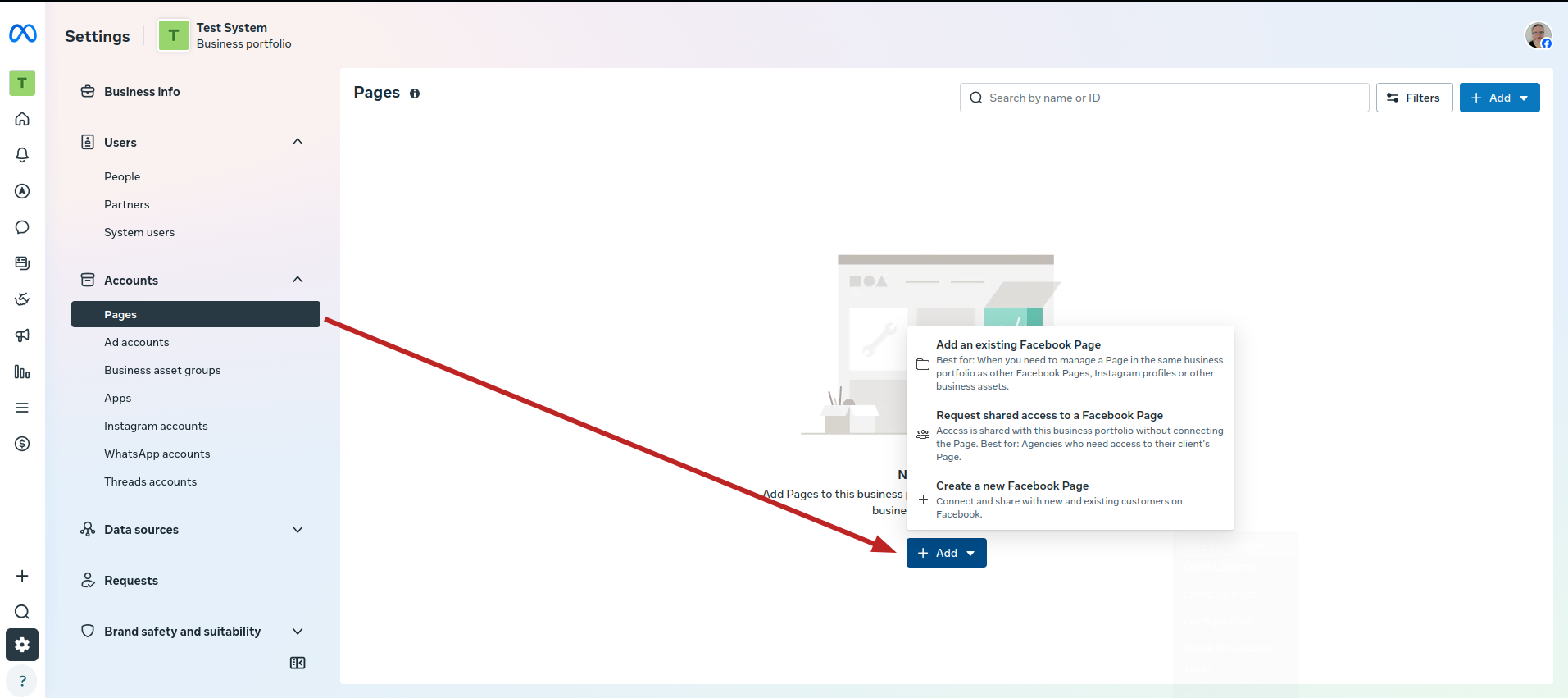
Still in Settings, go to Accounts, then Pages. If you already have a Facebook Page for your business, add it here. If your business does not have one yet, add or create one as needed.
Step 6: Add an Instagram account (mandatory)
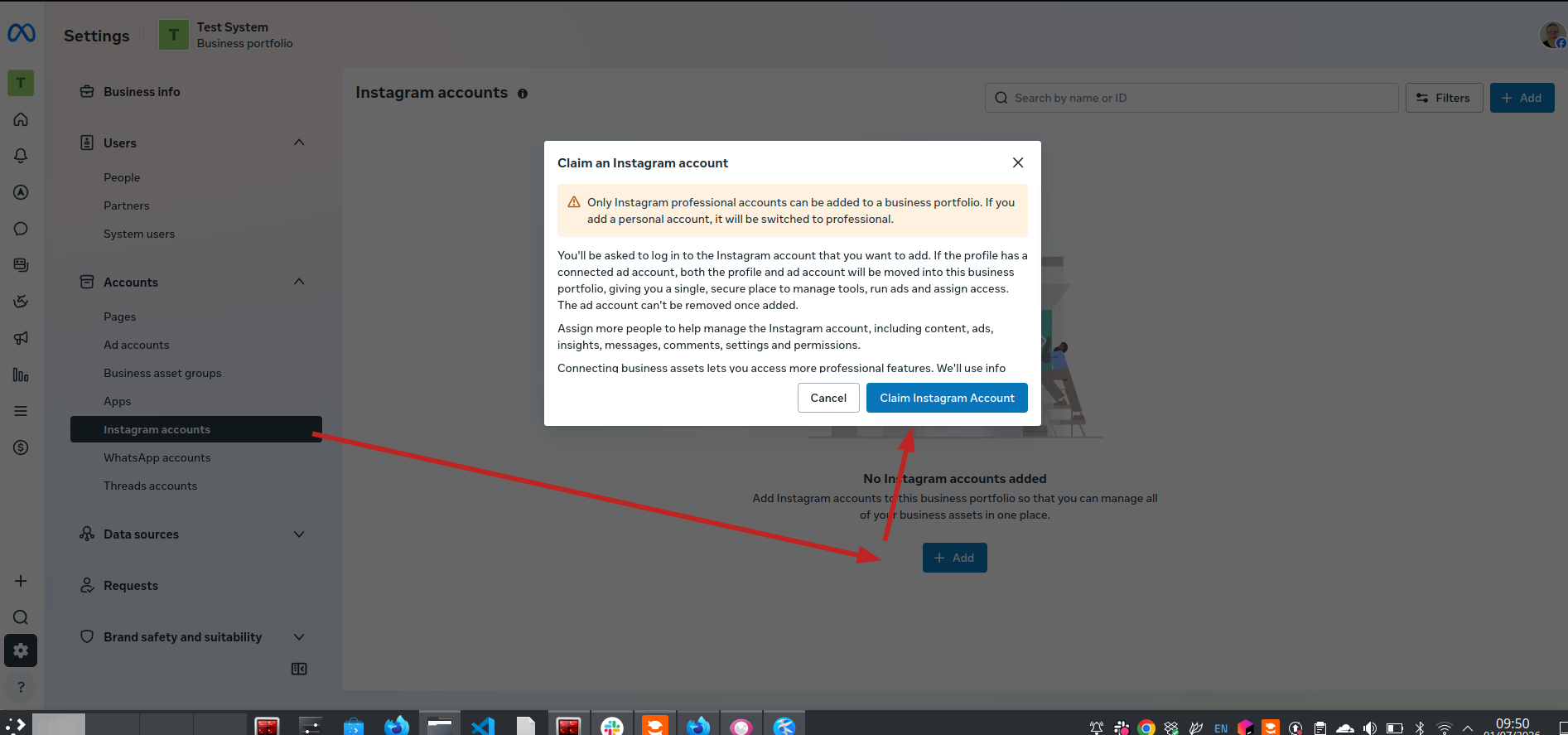
Go to Accounts, then Instagram accounts, and add your Instagram account.
If you do not have one yet, you will need to create it in the Instagram app first, so make sure the account exists and you have the login and password to hand. When you add it here, Meta converts a personal Instagram account into a professional one as part of the process.
Step 7: Add a payment method
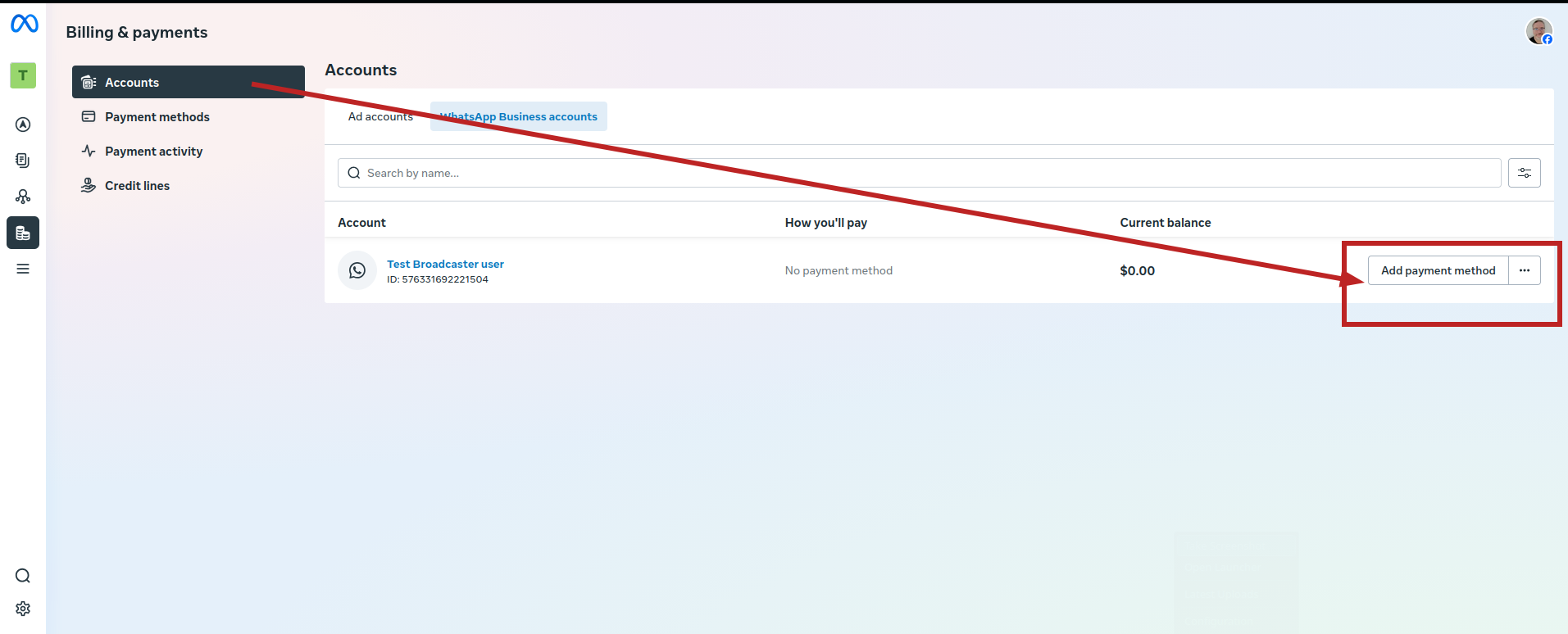
Scroll down to Billing & payments and open Accounts. Add a payment method here.
WhatsApp messaging through the API is billed by Meta, so a valid payment method has to be on file even if your early usage falls within the free allowance.
You are ready
Once all of the above is set up and approved by Meta, your Facebook (Meta) account is in good standing and you are ready to connect it to Broadcaster.
Remember that the verification and human checks are done by Meta on their own timescale. If something is still pending, wait for Meta to approve it before moving on to Broadcaster setup.
Written by Document Manager